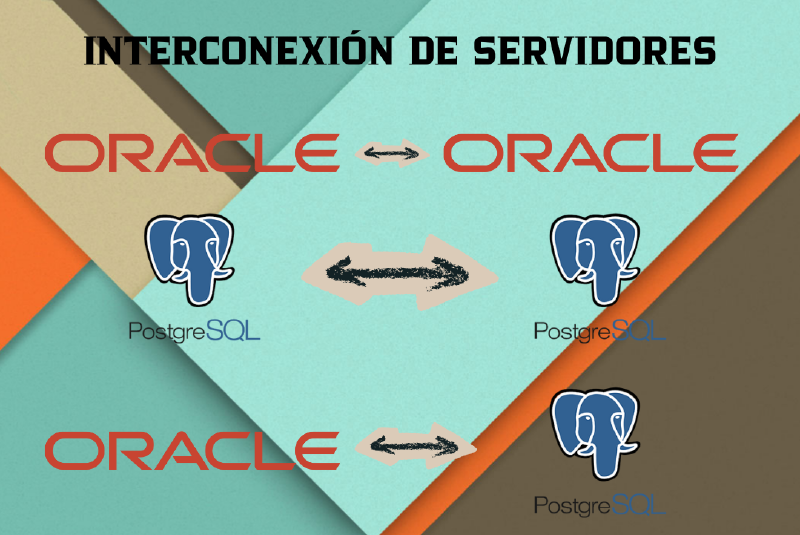
Server Interconnection
In this article, I detail the process performed to interconnect Oracle and PostgreSQL database servers in different configurations: Oracle-Oracle, PostgreSQL-PostgreSQL, and heterogeneous connections between both systems.
Environment Preparation
To perform this practice, I started from an existing virtual machine (bd) that already had the database servers installed. I cloned this machine to create a second node (bd2).
virt-clone --original bd --name bd2 --auto-clone
Network Configuration on bd2
Once cloned, I modified bd2’s network configuration to assign it IP 192.168.122.127 and change its hostname, avoiding conflicts with the original machine (whose IP is 192.168.122.126).
# Change IP
sudo sed -i 's/192.168.122.126/192.168.122.127/g' /etc/network/interfaces
# Change hostname
sudo sed -i 's/bd/bd2/g' /etc/hosts
sudo hostnamectl set-hostname bd2
Renaming Databases on bd2
PostgreSQL
On the bd2 PostgreSQL server, I renamed the database to prueba_db_2 to clearly distinguish it.
ALTER DATABASE prueba_db RENAME TO prueba_db_2;
Oracle
For Oracle, I performed a series of commands to close, rename, and reopen the Pluggable Database as ORCLPDB2.
ALTER PLUGGABLE DATABASE ORCLPDB1 CLOSE IMMEDIATE;
ALTER PLUGGABLE DATABASE ORCLPDB1 OPEN RESTRICTED;
ALTER PLUGGABLE DATABASE ORCLPDB1 RENAME GLOBAL_NAME TO ORCLPDB2;
ALTER PLUGGABLE DATABASE ORCLPDB2 CLOSE IMMEDIATE;
ALTER PLUGGABLE DATABASE ORCLPDB2 OPEN;
ALTER SYSTEM REGISTER;
1. Oracle-Oracle Interconnection
I configured a Database Link to connect from the Oracle database on bd to the Oracle database on bd2.
Configuration in ‘bd’
I edited the tnsnames.ora file to define the connection to bd2.
File: /opt/oracle/homes/OraDBHome21cEE/network/admin/tnsnames.ora
BD2_LINK =
  (DESCRIPTION =
    (ADDRESS = (PROTOCOL = TCP)(HOST = 192.168.122.127)(PORT = 1521))
    (CONNECT_DATA =
      (SERVER = DEDICATED)
      (SERVICE_NAME = ORCLPDB2)
    )
  )
Configuration in ‘bd2’
I ensured the listener was listening correctly and created a specific user for the connection.
ALTER SYSTEM SET local_listener='(ADDRESS=(PROTOCOL=TCP)(HOST=192.168.122.127)(PORT=1521))' SCOPE=BOTH;
ALTER SYSTEM REGISTER;

-- Create user in ORCLPDB2
ALTER SESSION SET CONTAINER=ORCLPDB2;
CREATE USER serjaii IDENTIFIED BY "0191";
GRANT CONNECT, RESOURCE TO serjaii;
GRANT CREATE SESSION TO serjaii;
Create Database Link
On bd, I created the link using the credentials of the user created previously.
CREATE DATABASE LINK link_to_bd2
  CONNECT TO serjaii IDENTIFIED BY "0191"
  USING 'BD2_LINK';
Verification
I performed a distributed query to verify the link:
SELECT e.ename AS local_employee, d.dname AS remote_department
FROM emp e
JOIN dept@link_to_bd2 d ON e.deptno = d.deptno
WHERE e.deptno = 10;
Result:
LOCAL_EMPLOYEE     REMOTE_DEPARTMENT
------------------ ------------------
CLARK              ACCOUNTING
KING               ACCOUNTING
MILLER             ACCOUNTING
2. PostgreSQL-PostgreSQL Interconnection
To connect two PostgreSQL servers, I used the dblink extension.
Previous Configuration
It connects necessary to ensure both servers allow remote connections:
pg_hba.conf: addhost all all 0.0.0.0/0 md5postgresql.conf: setlisten_addresses = '*'
Create dblink Extension
I enabled the extension on both databases.
CREATE EXTENSION IF NOT EXISTS dblink;
Verification
I tested the connection by executing a remote query from bd to bd2.
SELECT e.ename, t.dname, t.loc
FROM emp e
JOIN dblink(
  'host=192.168.122.127 user=serjaii password=0191 dbname=prueba_db_2',
  'SELECT deptno, dname, loc FROM dept'
) AS t(deptno int, dname varchar, loc varchar)
ON e.deptno = t.deptno
WHERE e.deptno = 20;
Result:
 ename |  dname   |  loc
-------+----------+--------
 SMITH | RESEARCH | DALLAS
 JONES | RESEARCH | DALLAS
 SCOTT | RESEARCH | DALLAS
 ADAMS | RESEARCH | DALLAS
 FORD  | RESEARCH | DALLAS
3. Oracle-PostgreSQL Interconnection (Heterogeneous Services)
This configuration allows connecting from Oracle to a PostgreSQL database using ODBC and Oracle Heterogeneous Services.
ODBC Installation on bd
sudo apt-get update
sudo apt-get install -y unixodbc unixodbc-dev odbc-postgresql
ODBC Configuration
I defined the Data Source Name (DSN) in /etc/odbc.ini.
[PostgreSQL_bd2]
Description=PostgreSQL connection to bd2
Driver=PostgreSQL Unicode
Servername=192.168.122.127
Port=5432
Database=prueba_db_2
Username=serjaii
Password=0191
I verified the connection with isql -v PostgreSQL_bd2.
Heterogeneous Services Configuration
I created the gateway initialization file.
File: /opt/oracle/homes/OraDBHome21cEE/hs/admin/initpgbd2.ora
HS_FDS_CONNECT_INFO = PostgreSQL_bd2
HS_FDS_TRACE_LEVEL = DEBUG
# Pointing to the correct library is CRITICAL to avoid errors
HS_FDS_SHAREABLE_NAME = /usr/lib/x86_64-linux-gnu/libodbc.so
set ODBCINI=/etc/odbc.ini
set LD_LIBRARY_PATH=/usr/lib/x86_64-linux-gnu/odbc
Listener and TNS Configuration
File: listener.ora
SID_LIST_LISTENER =
  (SID_LIST =
    (SID_DESC =
      (SID_NAME = pgbd2)
      (ORACLE_HOME = /opt/oracle/product/21c/dbhome_1)
      (PROGRAM = dg4odbc)
      (ENVS="ODBCINI=/home/oracle/odbc.ini")
    )
  )
Note: It is important to ensure the user Oracle has access to the odbc.ini file, sometimes it’s necessary to copy it to their home or define the ENVS variable appropriately.
File: tnsnames.ora
PGBD2 =
  (DESCRIPTION =
    (ADDRESS = (PROTOCOL = TCP)(HOST = 192.168.122.126)(PORT = 1521))
    (CONNECT_DATA = (SID = pgbd2))
    (HS = OK)
  )
I reloaded the listener with lsnrctl reload.
Create Database Link
CREATE DATABASE LINK link_to_postgres
  CONNECT TO "serjaii" IDENTIFIED BY "0191"
  USING 'PGBD2';
Common Errors Solution
During the process I encountered error ORA-28500 with message [unixODBC][Driver Manager]Data source name not found. This was because the listener process was not finding the odbc.ini file. The solution was to explicitly configure the ODBCINI environment variable in listener.ora or ensure read permissions for user oracle. I also corrected HS_FDS_SHAREABLE_NAME to point to libodbc.so instead of the Postgres driver directly.
Verification
SELECT e.ename, e.job, e.sal
FROM emp e
WHERE e.sal > (SELECT AVG("sal") FROM "emp"@link_to_postgres);
Result:
ENAME     JOB       SAL
--------- --------- ---------
JONES     MANAGER   2975
BLAKE     MANAGER   2850
CLARK     MANAGER   2450
SCOTT     ANALYST   3000
KING      PRESIDENT 5000
FORD      ANALYST   3000
4. PostgreSQL-Oracle Interconnection
To connect from PostgreSQL to Oracle, I used the oracle_fdw extension.
Installation
sudo apt-get install -y postgresql-server-dev-all build-essential unzip

# Download and compile oracle_fdw
wget https://github.com/laurenz/oracle_fdw/archive/refs/heads/master.zip
unzip master.zip
cd oracle_fdw-master
export ORACLE_HOME=/opt/oracle/product/21c/dbhome_1
make
sudo make install
I configured dynamic libraries so PostgreSQL finds Oracle’s:
echo "/opt/oracle/product/21c/dbhome_1/lib" | sudo tee /etc/ld.so.conf.d/oracle.conf
sudo ldconfig
sudo systemctl restart postgresql
Configuration in PostgreSQL
In database prueba_db:
CREATE EXTENSION oracle_fdw;

-- Create foreign server
CREATE SERVER oracle_bd2 FOREIGN DATA WRAPPER oracle_fdw
OPTIONS (dbserver '//192.168.122.127:1521/ORCLPDB2');

-- User Mapping
CREATE USER MAPPING FOR serjaii SERVER oracle_bd2
OPTIONS (user 'serjaii', password '0191');

-- Import schema
IMPORT FOREIGN SCHEMA "SERJAII" LIMIT TO ("EMP", "DEPT")
FROM SERVER oracle_bd2 INTO public;
Verification
SELECT ename, job, sal FROM "EMP" WHERE deptno = 10;
Result:
 ename  |    job    |   sal
--------+-----------+---------
 CLARK  | MANAGER   | 2450.00
 KING   | PRESIDENT | 5000.00
 MILLER | CLERK     | 1300.00