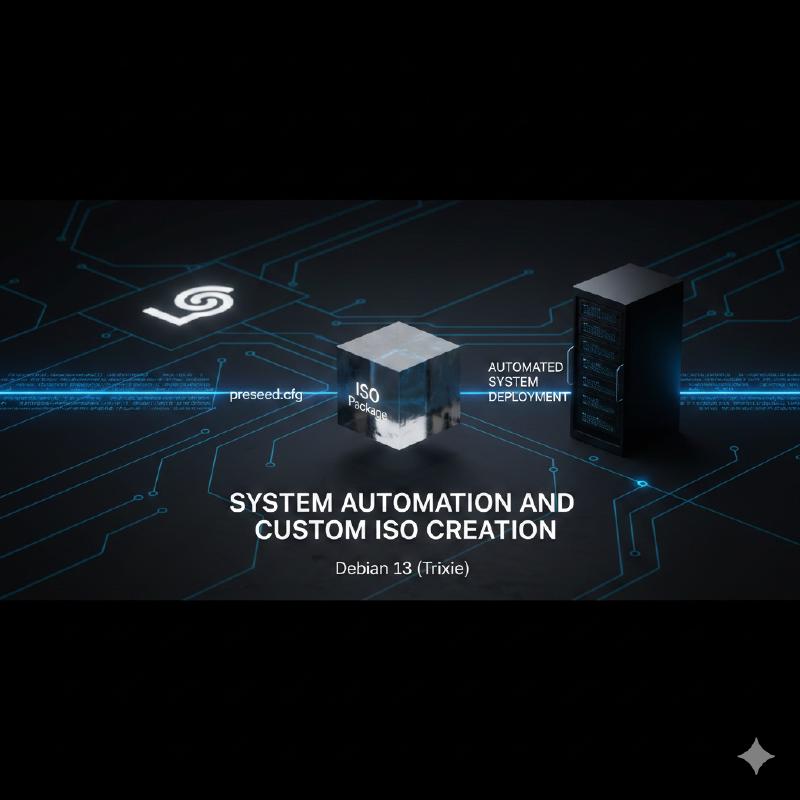
Automating Debian 13 Installation with Preseed and Custom ISO
In this article, I document the process I followed to create a fully unattended installation ISO image for Debian 13 (Trixie). The goal of this project is to configure the system to automatically answer all installer questions, configure the network, users, partitions, and additional packages, generating a hybrid ISO compatible with both BIOS and UEFI systems.
Project Objectives
- Unattended Installation: Automate responses (language, keyboard, network, mirror, etc.).
- Security: User passwords must be encrypted, not in plain text.
- Partitioning: Custom scheme (in this case, regular partitioning with separation of
/,/home, and/boot). - Compatibility: The ISO must boot on machines with both BIOS and UEFI firmware.
- Additional Packages: Automatic installation of
firewalld,openssh-server, and GNOME desktop environment.
Neccessary Tools
To carry out this work, we start from an official Debian netinst image and use the xorriso tool to manipulate the image.
sudo apt install xorriso
Download the base image:
wget https://cdimage.debian.org/debian-cd/current/amd64/iso-cd/debian-13.1.0-amd64-netinst.iso
The Heart of Automation: preseed.cfg
The preseed file is where we define all the answers for the Debian installer (d-i). Below, I show the final configuration I used.
Key points of my configuration:
- Localization: Configured for Spain (
es_ES.UTF-8, time zoneEurope/Madrid). - Network: Automatic configuration via DHCP.
- User: Creation of user
serjaiiwith encrypted password (generated withmkpasswd -m sha-512). - Partitioning: I defined a custom recipe
myregularthat creates partitions for EFI,/boot(ext2),/(ext4),/home(ext4), andswap. - Packages: Selection of
gnome-desktop,openssh-server,build-essential, andfirewalld.
# preseed.cfg

# Localization and Keyboard
d-i debian-installer/locale string es_ES.UTF-8
d-i debian-installer/language string es
d-i debian-installer/country string ES
d-i keyboard-configuration/xkb-keymap select es

# Network
d-i netcfg/choose_interface select auto
d-i netcfg/get_hostname string debian
d-i netcfg/get_domain string sergiojimenez.org
d-i netcfg/wireless_wep string

# Mirror
d-i mirror/country string manual
d-i mirror/http/hostname string ftp.es.debian.org
d-i mirror/http/directory string /debian
d-i mirror/http/proxy string

# Users (Root disabled, user serjaii created)
d-i passwd/root-login boolean false
d-i passwd/user-fullname string Sergio Jimenez
d-i passwd/username string serjaii
# Password must be the hash, not plain text
d-i passwd/user-password-crypted password $6$c3X/q67VgcznJhFw$uXRYRdnOpMeYtO/YGXJEXDvYj0njGYxBGbxTn5BZqHocFPCauvrGQm16QzqEUb1aEa1ZZu5NlrTIjznyP9D/y41

# Clock
d-i clock-setup/utc boolean true
d-i time/zone string Europe/Madrid
d-i clock-setup/ntp boolean true

# Partitioning
d-i partman-auto/method string regular
d-i partman-auto/expert_recipe string                         \
      myregular ::                                           \
              128 128 128 free                                     \
                      $iflabel{ gpt }                        \
                      $reusemethod{ }                        \
                      method{ efi }                          \
                      format{ }                              \
              .                                              \
              512 512 512 ext2                               \
                      $defaultignore{ }                      \
                      method{ format } format{ }             \
                      use_filesystem{ } filesystem{ ext2 }   \
                      mountpoint{ /boot }                    \
                      $bootable{ }                           \
              .                                              \
              5000 5050 -1 ext4                              \
                      $primary{ }                            \
                      method{ format } format{ }             \
                      use_filesystem{ } filesystem{ ext4 }   \
                      mountpoint{ / }                        \
              .                                              \
              2000 2030 -1 ext4                              \
                      method{ format } format{ }             \
                      use_filesystem{ } filesystem{ ext4 }   \
                      mountpoint{ /home }                    \
              .                                              \
              1024 1020 -1 linux-swap                        \
                      method{ swap } format{ }               \
        .
d-i partman-auto/choose_recipe select myregular
d-i partman-partitioning/confirm_write_new_label boolean true
d-i partman/choose_partition select finish
d-i partman/confirm boolean true
d-i partman/confirm_nooverwrite boolean true

# Package Selection
d-i apt-setup/cdrom/set-first boolean false
tasksel tasksel/first multiselect standard, gnome-desktop
d-i pkgsel/include string openssh-server build-essential firewalld
popularity-contest popularity-contest/participate boolean false

# Boot Loader (GRUB)
d-i grub-installer/only_debian boolean true
d-i grub-installer/with_other_os boolean true
d-i grub-installer/bootdev  string default

# Finish
d-i finish-install/reboot_in_progress note
Process Automation: The Script
To avoid performing the extraction, modification, and repackaging steps manually every time I needed to adjust the preseed, I created a Bash script (automatizado_preseed.sh).
This script performs the following tasks:
- Cleans the previous working environment.
- Extracts the content of the original ISO using
xorriso. - Injects the
preseed.cfgfile inside theinitrd.gzfile (this is crucial for the installer to load our configuration automatically). - Modifies the boot configuration files (
isolinux.cfgfor BIOS andgrub.cfgfor UEFI) setting timeouts to 0 so it doesn’t ask for user confirmation. - Regenerates the MD5 sums list (
md5sum.txt). - Builds the new hybrid bootable ISO.
Script automatizado_preseed.sh
#!/bin/bash

# Stop script on error
set -e

# --- VARIABLES ---
ISO_ORIGINAL="debian-13.1.0-amd64-netinst.iso"
ISO_FINAL="preseed-debian13.iso"
DIR_TRABAJO="iso"
PRESEED_FILE="preseed.cfg"

echo "=== 0. Initial Cleanup and Space Check ==="
# Verify space (min 2GB free recommended)
FREE_SPACE=$(df . --output=avail | tail -1)
if [ "$FREE_SPACE" -lt 2000000 ]; then
    echo "WARNING: Less than 2GB free. Might fail."
    df -h .
    echo "Waiting 3 seconds..."
    sleep 3
fi

if [ -d "$DIR_TRABAJO" ]; then
    echo "-> Deleting existing '$DIR_TRABAJO' directory..."
    sudo rm -rf "$DIR_TRABAJO"
fi

if [ -f "$ISO_FINAL" ]; then
    echo "-> Deleting existing '$ISO_FINAL' file..."
    sudo rm -f "$ISO_FINAL"
fi

# --- CHECKS ---
if [ ! -f "$ISO_ORIGINAL" ]; then
    echo "Error: Image $ISO_ORIGINAL not found"
    exit 1
fi

if [ ! -f "$PRESEED_FILE" ]; then
    echo "Error: File $PRESEED_FILE not found"
    exit 1
fi

echo "=== 1. Extracting original ISO ==="
# Use xorriso to extract
sudo xorriso -osirrox on -indev "$ISO_ORIGINAL" -extract / "$DIR_TRABAJO/"

echo "=== 2. Injecting Preseed into initrd ==="
sudo chmod +w -R "$DIR_TRABAJO/install.amd/"
sudo gunzip "$DIR_TRABAJO/install.amd/initrd.gz"

# Inject preseed.cfg
echo "$PRESEED_FILE" | sudo cpio -H newc -o -A -F "$DIR_TRABAJO/install.amd/initrd"

sudo gzip "$DIR_TRABAJO/install.amd/initrd"
sudo chmod -w -R "$DIR_TRABAJO/install.amd/"

echo "=== 3. Configuring BIOS boot (Isolinux) ==="
CFG_ISOLINUX="$DIR_TRABAJO/isolinux/isolinux.cfg"
sudo chmod +w "$CFG_ISOLINUX"

# Isolinux modifications
sudo sed -i 's/^default/#default/g' "$CFG_ISOLINUX"
sudo sed -i 's/^timeout.*/timeout 0/g' "$CFG_ISOLINUX"
if grep -q "prompt" "$CFG_ISOLINUX"; then
    sudo sed -i 's/^prompt.*/prompt 0/g' "$CFG_ISOLINUX"
else
    echo "prompt 0" | sudo tee -a "$CFG_ISOLINUX" > /dev/null
fi
sudo chmod -w "$CFG_ISOLINUX"

echo "=== 4. Configuring UEFI boot (GRUB) ==="
CFG_GRUB="$DIR_TRABAJO/boot/grub/grub.cfg"
sudo chmod +w "$CFG_GRUB"

# GRUB modifications
if grep -q "set timeout=" "$CFG_GRUB"; then
    sudo sed -i 's/set timeout=.*/set timeout=0/g' "$CFG_GRUB"
else
    echo "set timeout=0" | sudo tee -a "$CFG_GRUB" > /dev/null
fi

if grep -q "set default=" "$CFG_GRUB"; then
    sudo sed -i 's/set default=.*/set default=1/g' "$CFG_GRUB"
else
    echo "set default=1" | sudo tee -a "$CFG_GRUB" > /dev/null
fi

if ! grep -q "set timeout_style=hidden" "$CFG_GRUB"; then
    sudo sed -i '1i set timeout_style=hidden' "$CFG_GRUB"
fi
sudo chmod -w "$CFG_GRUB"

echo "=== 5. Ensuring Permissions and Regenerating MD5 ==="
# 1. Ensure ALL files are readable by all
sudo chmod -R u+w,a+r "$DIR_TRABAJO"

cd "$DIR_TRABAJO"
rm -f md5sum.txt

echo "Generating clean md5sum.txt..."
find . -type f -not -name 'md5sum.txt' -not -path '*/debian/*' -print0 | \
    xargs -0 md5sum | \
    sed 's| \./| |' > md5sum.txt

sudo chmod a-w md5sum.txt
cd ..

echo "=== 6. Creating final ISO ($ISO_FINAL) with XORRISO ==="
cd "$DIR_TRABAJO"
sudo xorriso -as mkisofs \
   -r -V 'Debian_Custom' \
   -o "../$ISO_FINAL" \
   -J -joliet-long \
   -b isolinux/isolinux.bin \
   -c isolinux/boot.cat \
   -boot-load-size 4 \
   -boot-info-table \
   -no-emul-boot \
   -eltorito-alt-boot \
   -e boot/grub/efi.img \
   -no-emul-boot \
   -isohybrid-gpt-basdat \
   .
cd ..

echo "=== Process completed! ==="
ls -lh "$ISO_FINAL"
Execution and Result
To generate the ISO, simply run the script with superuser permissions:
sudo bash automatizado_preseed.sh
The result is a preseed-debian13.iso file of approximately 968MB. This image can be burned to a USB or used in a virtual machine (VirtualBox, KVM, VMware). Upon booting, the system will automatically start the installation without asking any questions, and upon completion, we will have a Debian 13 system with GNOME environment, configured user, and partitions ready to use.
Network Installation
In addition to installation via USB or direct ISO image, I have enabled the possibility of performing the installation over the network using resources hosted on this same server.
I have uploaded both the custom ISO image and the preseed.cfg file so that they are publicly accessible.
Download Resources
- Custom ISO Image: preseed-debian13.iso
- Preseed File: preseed.cfg
How to use Preseed over Network
If you have a standard Debian installation image (netinst) and want to apply my automated configuration without modifying the ISO, you can do so by passing the preseed URL as a boot parameter.
Start the Debian installer.
At the boot menu (GRUB or Isolinux), press
TABoreto edit boot options.Add the following parameter to the kernel command line:
auto url=http://sergiojimenez.org/isos/preseed.cfgStart booting. The installer will download the configuration file and proceed with the unattended installation as defined.
This is especially useful for virtualization environments or mass installations where we don’t want to maintain multiple modified ISO images.
Manual PXE + Preseed Installation Guide
1. Prerequisites and Package Installation
We start from a machine with Debian (server) that will act as the infrastructure server. We will need to install DHCP, TFTP, and Web services.
sudo apt update
sudo apt install isc-dhcp-server tftpd-hpa apache2 wget
2. DHCP Server Configuration
The DHCP server is responsible for assigning IPs to clients and telling them where to find the boot file.
Edit the file /etc/dhcp/dhcpd.conf:
option arch code 93 = unsigned integer 16;
default-lease-time 600;
max-lease-time 7200;
authoritative;

# Adjust subnet according to your current network environment
subnet 192.168.122.0 netmask 255.255.255.0 {
    range 192.168.122.100 192.168.122.200;
    option routers 192.168.122.1;
    option domain-name-servers 8.8.8.8;

    class "pxeclients" {
        match if substring (option vendor-class-identifier, 0, 9) = "PXEClient";
        # IP of this same server (PXE)
        next-server 192.168.122.18;

        # Logic to serve the correct file depending on BIOS or UEFI
        if option arch = 00:07 {
            filename "debian-installer/amd64/bootnetx64.efi";
        } else if option arch = 00:09 {
            filename "debian-installer/amd64/bootnetx64.efi";
        } else {
            filename "pxelinux.0";
        }
    }
}
Also, define the listening interface in /etc/default/isc-dhcp-server:
INTERFACESv4="ens3"
3. TFTP Setup and Boot Files (Netboot)
The TFTP service will serve the kernel and the initial installer. We download the daily Debian Trixie netboot image and extract it to the TFTP root directory (/srv/tftp).
# Clean previous directory if it exists
sudo rm -rf /srv/tftp/*

# Download netboot image
wget https://d-i.debian.org/daily-images/amd64/daily/netboot/netboot.tar.gz

# Extract to TFTP server directory
sudo tar -xzf netboot.tar.gz -C /srv/tftp/
sudo chown -R tftp:tftp /srv/tftp
4. Boot Automation (Boot Menus)
To avoid questions during initial boot and force the use of our preseed, we must edit the default boot menus.
BIOS Configuration (Legacy)
Edit the file /srv/tftp/pxelinux.cfg/default. Create an entry passing parameters auto=true, priority=critical and the URL of our preseed.
DEFAULT install
LABEL install
    KERNEL debian-installer/amd64/linux
    APPEND vga=788 initrd=debian-installer/amd64/initrd.gz auto=true priority=critical url=http://192.168.122.18/preseed.cfg --- quiet
UEFI Configuration (GRUB)
Edit the file /srv/tftp/debian-installer/amd64/grub/grub.cfg:
set default="0"
set timeout=0

menuentry "Install Debian 13 (Automated)" {
    linux /debian-installer/amd64/linux auto=true priority=critical url=http://192.168.122.18/preseed.cfg --- quiet
    initrd /debian-installer/amd64/initrd.gz
}
5. Preseed File Publication
The installer will look for the configuration file at the URL we specified. Copy our preseed.cfg to the root directory of the Apache web server.
sudo cp preseed.cfg /var/www/html/
sudo chmod 644 /var/www/html/preseed.cfg
6. Finalization
Restart services to apply changes:
sudo systemctl restart isc-dhcp-server
sudo systemctl restart tftpd-hpa
sudo systemctl restart apache2
Now the server is ready to receive network boot requests.
Automation via Script
To simplify and standardize this process, I have developed a script called install_pxe.sh that automates all the steps described above.
To use it, simply run:
sudo ./install_pxe.sh
Download Script: install_pxe.sh